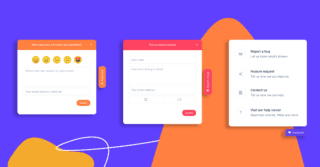

User Acceptance Testing (UAT) is the final phase of the software development lifecycle where real users test the product in a real-world scenario to ensure it meets their needs and expectations. It’s a critical step to validate that the software functions as intended and aligns with business requirements before going live.
UAT helps identify any lingering bugs, usability issues, or mismatches between the product and user expectations, ensuring that what’s delivered truly solves the user’s problems. By incorporating feedback from actual users, UAT minimizes the risk of costly post-release fixes and boosts customer satisfaction from day one.
Whether you’re launching a new feature or an entire application, UAT is your ultimate checkpoint to ensure your software is ready for prime time.
In this article we’re going to explore everything you need to know about UAT and how to conduct user acceptance testing successfully in your business.
Common Questions About UAT
Before we go any further, let’s explore some of the most commonly asked questions about UAT to help us understand the topic a little better.
How is User Acceptance Testing different to other testing?
There is one key difference that truly sets user acceptance testing apart from other forms of software functional testing. In all other tests except UAT, it is the developers or quality assurance team that perform them. UAT is unique because the end users begin testing the software before it is released to ensure the software meets user requirements and expectations. As the end user will ultimately use the app, it is only natural that they are the ones to test it at the end.
The project team might think that the final app is according to the user requirements. Even the quality assurance team might agree. However, if the end user feels that it is not the case, the end user will not accept it. Thus, the project team will have to go back to the development phase and get the requirements right. The end user does not necessarily have to be an outsider. Your team might be developing new software for the company’s human resource department or the finance team. In that case, your fellow employees will be part of the UAT testing.
Why is UAT Important and what is the purpose of UAT?
The purpose of user acceptance testing is to validate that you and your end-user are both satisfied with the final solution. Similar to other forms of software testing like beta testing, integration testing and QA testing, UAT is essential because:
- The UAT test results help confirm that the product meets the specific user requirements and is suitable for user adoption.
- Effective UAT helps identify a problem that might have been missed or overlooked by you or your team.
- Successful user acceptance testing helps confirm the product is actually ready to be launched into the market.
- It helps you pre-empt (and resolve) any problems with the software development project later when launched.
- It helps identify any additional work to complete the software development project.
What is the UAT Criteria?
Now that you know what user acceptance testing is and why is it so important for any software or any website, it is time to learn about the criteria to perform this test in the first place. For the best results, there’s a whole list of requirements that have to be adhered to during the user acceptance testing phase. The requirements vary according to the type of software and the business conditions connected to the product. However, it is of utmost importance for each product to set criteria for the UAT so that the entire operation is as successful as it can be.
Here are some criteria requirements that you can use:
- Check the business requirements and ensure that all of them have been met.
- All the specifications of the application code are complete.
- Before getting started with the UAT, it is vital to complete the unit, system testing and integration.
- There is no room for any defects before starting the final testing phase; only the cosmetic flaws are acceptable before UAT.
- Regression testing needs to be completed.
- Fix all the identified defects before the final test.
- You have the approval for user acceptance testing from the System Testing Team.
Who should perform UAT?
Even though we mentioned it earlier, it’s worth mentioning again that UAT means – User Acceptance Testing. So it’s really important to note that it’s end-users who should be performing UAT. The professional testers are just responsible for testing the technical part of the software product. Therefore, they must never be a part of the final testing team.
What Are the Common UAT Challenges?
User acceptance testing often faces challenges that can hinder its effectiveness. Common issues with UAT include insufficient preparation, such as poorly defined test cases or unclear objectives, and poor communication between stakeholders, testers, and developers, leading to misalignment on requirements. Inadequate resources, such as limited user participation, unstable testing environments, or lack of UAT tools, can further complicate the process. Ambiguous requirements make it difficult to validate whether the system meets business needs, while time constraints frequently reduce the thoroughness of testing. Resistance from end users, often due to a lack of time, motivation, or expertise, can also impact UAT outcomes. Addressing these UAT challenges requires careful planning, clear communication, early user engagement, resource allocation, and a commitment to resolving feedback promptly.
What are the User Acceptance Testing Process Steps?
You know what the purpose of UAT is, the importance of UAT, and who should be performing this phase of software test. Now let’s take a look at the steps to perform user acceptance testing and UAT best practices.
Here are the steps of the UAT testing process, explained in detail:
1. Planning
Planning is the first step in UAT and is all about outlining your testing strategy and UAT test plan for your software development project. There is no one strategy used here; in fact, people have different approaches to outlining the strategy, but you should always go for the one that aligns with your business requirements in the best possible way. For example, what part of the app should you perform the tests on? Which end-user will test which part of the app? Which user acceptance testing tools are best to use?
2. Test Scenarios
Once you have planned UAT, it is time to think of the different test scenarios. Here we are referring to all the situations that can arise while using the product and what needs to happen in each situation. These scenarios help with the creation of test cases. Let us assume that you have asked a web development agency for an e-commerce website. One test case would be to test the website during the sales season. As there would be many customers, testing the web site’s functionality, load speed, and overall user experience is a must-have test scenario.
3. Perform UAT
Once the previous steps are complete, it is time to begin the UAT. It is best to record and document the entire process. While the developers are not a part of the UAT team, ensure that they witness the entire UAT session. The reason for this is because the end-users might not explain the problems in a way that developers expect or need. So, by having them witness the entire test, they will understand potential issues better. Furthermore, there may be times when end-users don’t report a problem, but developers see it themselves when watching the UAT session replay. So it is well worth the time of your developers to witness the UAT session.
4. Final Decision
UAT is there to analyze if the product is per the business requirements or not. If the answer comes in positive, the product is ready for launch into the market. If the answer is negative, you’ll have to go through another round of UAT after fixing all the bugs and glitches.
What are the Benefits of UAT?
Conducting UAT is a form of collecting user feedback for your product. It’s well-known that user feedback is of utmost importance for a business owner, whether negative or positive. You indeed need to consider the amount of investment in UAT, but the benefits are worth it. UAT might take 5% to 10% of the development process, but on the other hand, it can save you more than 30% of your time in fixing issues or making additional changes. If you are looking forward to a good ROI score, UAT is quite important, making a big time saver overall.
Here are some benefits of UAT testing, including:
- Customer satisfaction is guaranteed with your final product.
- Product quality is checked during all the stages of development.
- Better and more efficient vendor communication is provided with all the information they need after every stage.
- Issues identified during UAT can be resolved before reaching the entire customer base.
- Stakeholders can get detailed user feedback about the product during UAT.
Best Practices for User Acceptance Testing
Not all UAT is made the same. Incorporating a few basic best practices into your UAT system can help ensure that you avoid wasting your time and get maximum value from the process.
1. Communicate goals and expectations
Everyone needs to understand the expected outcomes of UAT. Ensure that the people responsible for implementing your UAT procedures are setting clear goals for themselves and testers. Further, the testers, if hired specifically for the task, should be aware of what is expected of them.
2. Begin UAT as early as possible
It’s not always possible to conduct adequate UAT during product build. Often, UAT prior to a quality assurance process can be a waste of time. However, if you can isolate aspects of your website or product and conduct UAT on it prior to completion, this may help you avoid wasting time on building out unnecessary features and will assist in addressing issues prior to them being baked into the product.
3. Use the right UAT testers
Pick your audience. You know who your ideal target market is, so ensure that the people you’re using to test your product are firmly within that market. Further, testers should ideally be real end-users of the product. This is where launching a beta version can come in handy. You can have a limited release to real users and gain genuine feedback from your core market.
4. Focus on improvements
UAT shouldn’t be about bug detection. It should be about user experience and how the product addresses the user’s problem. If you’re using UAT to find and address bugs within your product, you need to improve your quality assurance process. Testers should be utilized to further refine a finished (or almost finished product) and to suggest improvements.
5. Track feedback with a UAT testing tool
UAT feedback must be collated and reported on. You need a clear process to communicate feedback from testers to those who can act on it. Communication channels should be clear, not convoluted, and enable all stakeholders to clearly understand their role and address any issues that arise.
What is the Best Tool for User Acceptance Testing?
There are several tools on the market that help with user acceptance testing. After all, not every organization has the resources or expertise to conduct UAT. And most of the time, email, spreadsheets, and pen with paper just don’t cut it!
So let’s take a further look at why Userback is one of the best UAT tools for SaaS product teams.
Streamline the UAT Process
Userback is a feedback platform that can streamline the UAT process by making it easier to capture end-user feedback, automate bug tracking and management, and create visual reports to track progress.
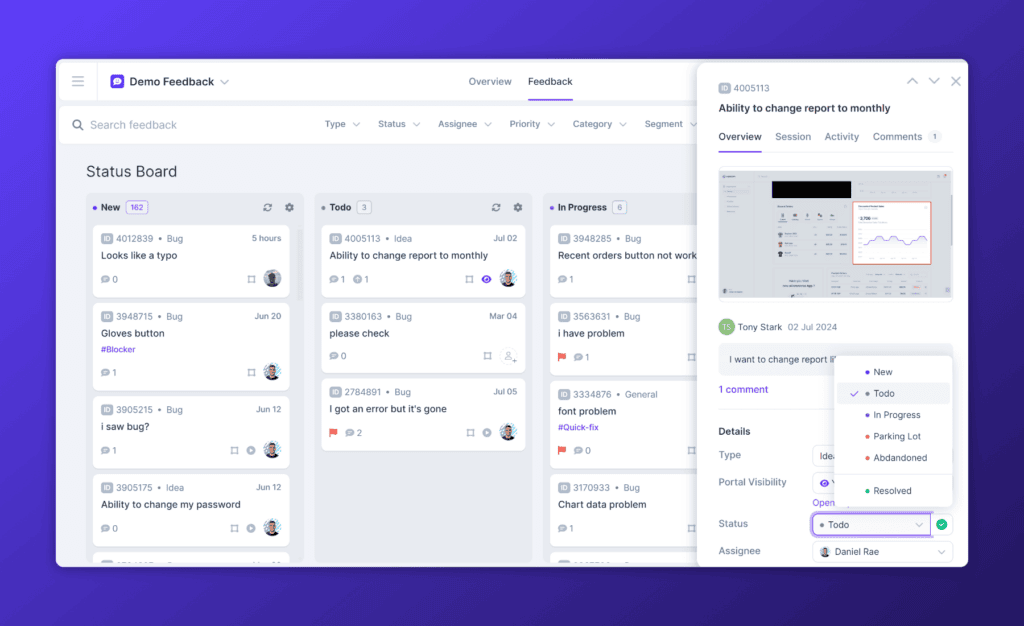
Easily Capture Visual Feedback
With Userback, users can easily capture and submit feedback using a visual feedback tool. This allows developers to see exactly what the user is experiencing and identify potential issues quickly.
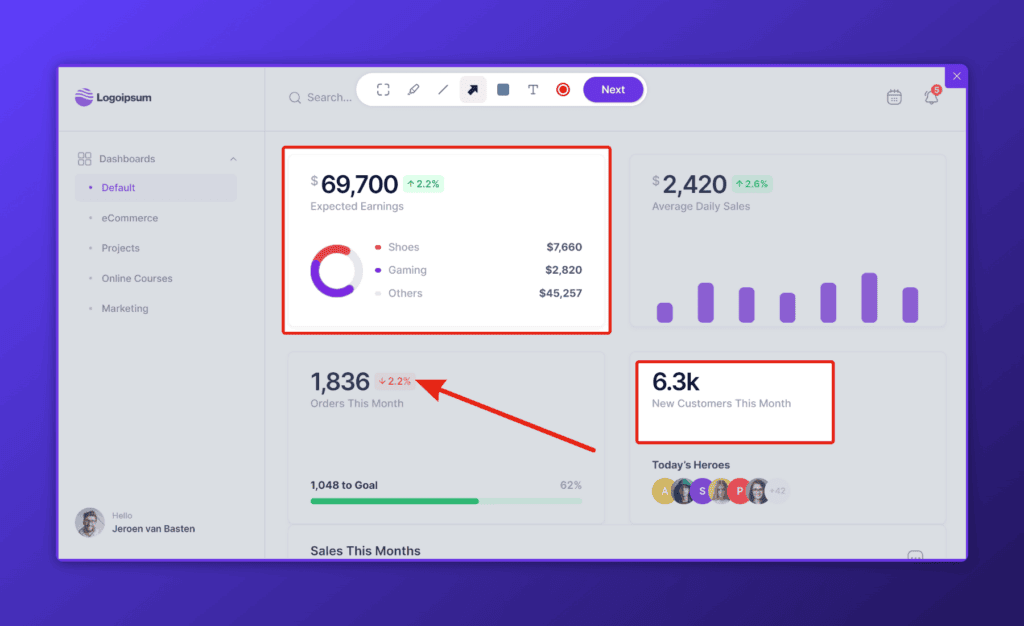
Automate Bug Tracking and Management
Userback’s bug tracking and management system allows developers to track issues and bugs that are discovered during testing. This makes it easier to prioritize and manage bug fixes, ensuring that the software is ready for release on time.
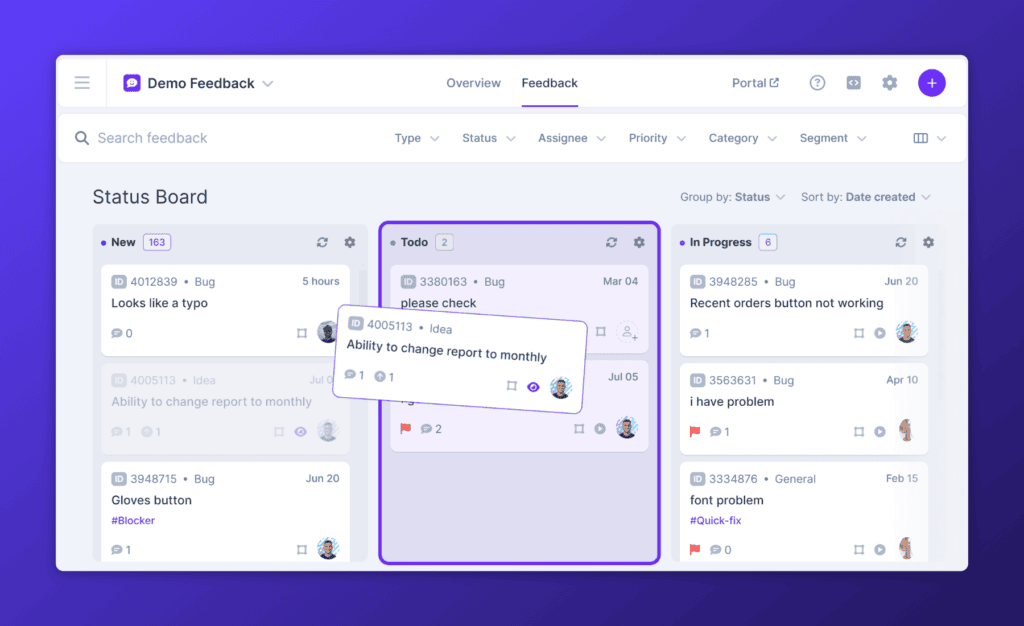
Extensive Integrations
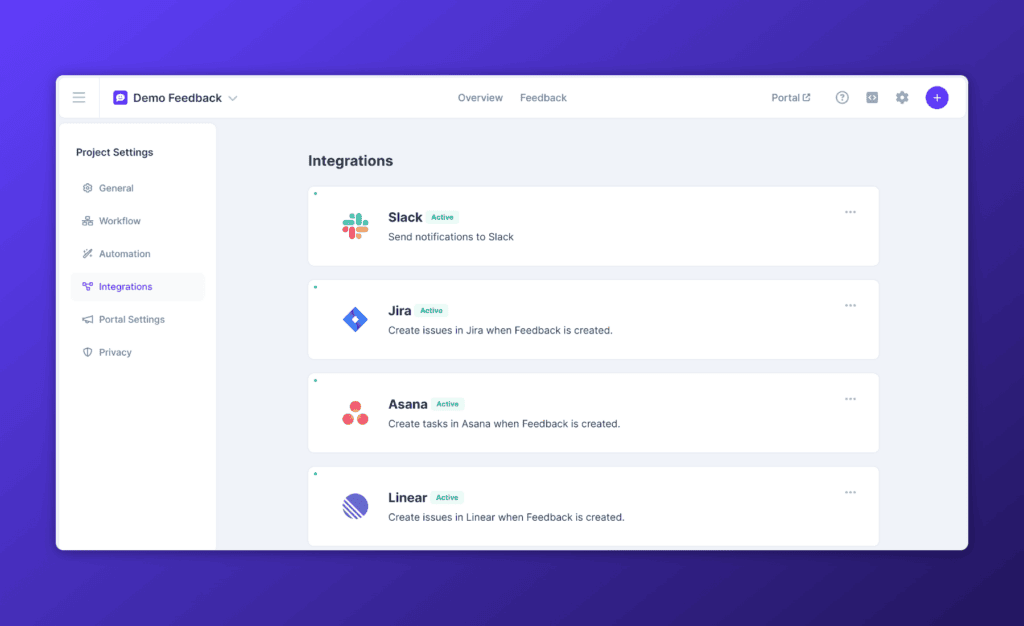
One thing that makes Userback a must-have for any organization is its ability to be integrated with popular tools. Think of any popular bug tracking or project management platform. You will be happy to know that you can integrate Userback with almost any platform. Whether it is Jira, Trello, Asana, ClickUp, or any other notable platform, save time by integrating them with Userback.
Final Word About UAT
By now, you hopefully realize that UAT is not something that you can neglect. It is a crucial part of any project that is ignored at your own peril. It can prevent the development team from making any mistakes that waste their time or upset customers and end-users.
The testing process is for the satisfaction of the user and the business itself too. It helps reduce a considerable amount of cost, saves time, and makes the product as perfect as possible. One should never launch any product without passing it through UAT first. Even if the test helps prevent only minor mistakes or damages, it will still will be worth it.
When you combine Userback with the benefits of UAT, it will help you build better websites and applications for your customers.
Try Userback for free and see how easy it is to conduct UAT and capture feedback directly from your website and application.
Ready to streamline UAT with Userback?
Sign up for a free 14-day trial. No credit card required.