

As technology continues to shape the digital landscape, it’s become more important than ever to collect in-app feedback from users.
In this article, we take look at the world of customer feedback; and in particular, in-app feedback and its significance in collecting customer feedback that improves user sentiment and drives product success. There are many advantages of a dedicated in-app feedback tool over traditional methods that collect in-app user feedback such as new feature requests and bug reports. Additionally, we will review six of the best in-app feedback tools to help product managers make informed decisions about the options available to them.
What is In-App Feedback?
In-app feedback is a method of collecting users’ opinions, suggestions, and issues directly within a mobile or web application, usually via a feedback button and feedback widget. It provides a seamless and convenient way for users to share their experiences, report bugs, request features, and offer general feedback without leaving the app.
This real-time feedback mechanism is invaluable for developers and product managers as it helps them understand user needs, identify areas for improvement, and prioritize development efforts. By integrating feedback collection directly into the app, companies can enhance the user experience, improve satisfaction, and ensure the app evolves in line with user expectations.
Types of In-App Feedback
There are several types of in-app feedback that developers and product managers can utilize to gather valuable insights from users.
In-app Surveys
In-app surveys are a popular method for collecting structured feedback. These surveys can be designed to capture specific information from users at various points in their journey within the app. They are highly customizable, allowing for targeted questions that can provide quantitative data. However, care must be taken to avoid overusing in-app feedback surveys, as this can lead to survey fatigue and low response rates.
Bug Reports
Bug reports are another type of valuable user feedback in your app. Users can report issues they encounter within the app, often with the ability to attach screenshots or other relevant information. This type of user feedback helps developers identify and fix problems quickly, improving the app’s stability, user experience, and overall user satisfaction. However, bug reports may not be used frequently unless users encounter significant issues.
Feature Requests
Feature requests allow users to suggest new features they would like to see in the app. These requests can be made through dedicated boards where users can also vote on suggestions made by others. This engagement helps prioritize product development based on popular demand and fosters a sense of community among users. However, feature request boards can become cluttered with duplicate suggestions and may require moderation to maintain organization.
Open-Ended Feedback Forms
Feedback forms (also known as feedback widgets) provide a platform for users to write detailed comments about their experience with the app. This type of feedback captures qualitative insights and can reveal specific user sentiments and issues. While feedback widgets can offer valuable information, they may require more effort from users to complete and can be challenging to analyze and categorize effectively.
The Importance of In-App Feedback for SaaS and Web Applications
The importance of in-app feedback tools for SaaS and web applications cannot be overstated. In-app feedback is crucial for capturing real-time user insights, enabling companies to quickly identify and address issues, improve user experience, and enhance overall product quality. Moreover, actively soliciting and responding to in-app feedback fosters a sense of inclusivity and trust, leading to higher user satisfaction, increased retention, and sustained growth in a competitive market.
Let’s take a deeper look at why it’s so important to collect in-app feedback and customer feedback in general.
01. Enhanced User Satisfaction
In-app feedback facilitates two-way communication between users and product teams, fostering a sense of inclusivity. Users feel valued when their feedback is acknowledged, leading to increased engagement and loyalty.
02. User Feedback Leads to Product Improvements
Collecting contextual feedback helps identify user pain points and areas of confusion which product managers can then use to improve the user interface and streamline workflows. In-app feedback acts as a compass, guiding product teams towards creating intuitive and user-friendly applications.
03. Bug Detection and Rapid Issue Resolution
In-app feedback serves as an efficient channel for users to report bugs and technical issues. With real-time access to bug reports, product teams can swiftly address and resolve problems, ensuring a seamless user experience.
04. Prioritized Feature Development
In-app feedback allows product managers to understand user needs and preferences, aiding in informed decision-making for future feature development. Gathering insights on user demands helps prioritize features that align with user expectations, increasing customer satisfaction.
05. User Feedback Helps With Data-Driven Decision Making
In-app feedback offers a wealth of qualitative and quantitative data, enabling product managers to make data-driven decisions. This eliminates guesswork and ensures that product enhancements are based on user insights rather than assumptions.
06. In-App Feedback as a Competitive Advantage
By actively engaging with users and incorporating their feedback, SaaS and web applications can differentiate themselves from competitors. The ability to adapt and listen to users’ needs is key to gaining a competitive edge in the market.
Advantages of a Centralized In-App Feedback Platform
If you’re still using manual processes and tools like spreadsheets and emails to gather feedback and share feedback with your team, then a dedicated in-app feedback tool can save you time and revolutionize how to manage product feedback within your app.
A. Streamlined User Feedback Collection
A dedicated platform provides a unified interface for users to share their feedback across different touchpoints within an application. This centralization simplifies the collection process for both users and product teams and helps close the feedback loop. By making it easier for users to share feedback and for product teams to manage and act on the feedback you receive, it allows you to process more feature requests and bug reports in less time, ultimately allowing you to build a better product, faster.
B. Comprehensive User Feedback Analysis
With a dedicated platform, product managers gain access to advanced analytics and reporting tools. These insights help identify trends, patterns, and prioritize issues based on their impact, ensuring efficient resource allocation.
C. Customizable In-App Feedback Widgets
In-app feedback platforms offer customizable forms to capture specific information from users. Tailoring in-app feedback widgets allows product managers to gather relevant data and reduce noise, resulting in more actionable feedback and insights.
D. Seamless Integration
Dedicated in-app feedback platforms integrate seamlessly with existing project management and communication tools such as Jira, Slack, ClickUp and many, many more. This integration streamlines the feedback loop and enables effective collaboration between cross-functional teams.
E. Automation and Workflow Management
In-app feedback platforms automate processes such as ticket creation, issue tracking, and follow-ups. This automation saves time and ensures that feedback is managed efficiently, leading to faster issue resolution and improved user satisfaction.
6 Best In-App Feedback Tools
There are a number of in-app feedback tools available today. When choosing the best in-app feedback tool to use for your SaaS or web application, you need to make sure you choose the one that best meets the needs of your business, team and your users:
01. Userback
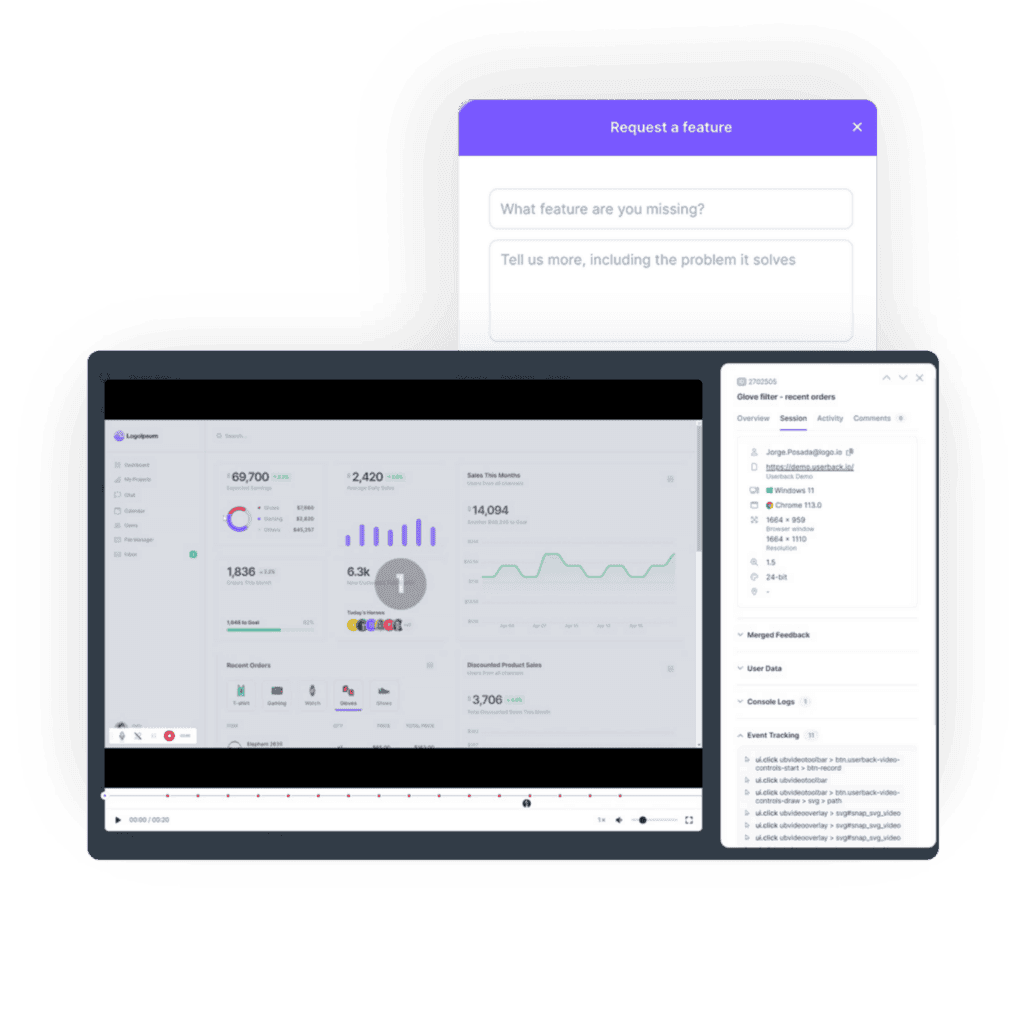
Userback is a powerful in-app feedback tool designed to help businesses gather real-time insights from their users directly within their applications. By integrating Userback into SaaS and web applications, companies can streamline the process of collecting, managing, and analyzing user feedback. Userback is one of the best customer feedback tools for in-app feedback, offering a variety of features such as visual feedback, bug reporting, and feature requests, allowing users to easily communicate their experiences and suggestions. With its intuitive interface, users can provide detailed feedback, attach screenshots, and highlight specific issues without leaving the app.
This comprehensive feedback collection enables product teams to quickly identify pain points, prioritize improvements, and enhance overall user satisfaction. By leveraging Userback, businesses can foster a collaborative environment, ensuring their product development aligns closely with user needs and expectations, ultimately driving higher engagement and loyalty.
Key in-app feedback features include:
Visual feedback: Users can capture screenshots, record videos, and annotate them to provide contextual user feedback and detailed information.
Bug tracking and reporting: Userback simplifies bug tracking and reporting by allowing users to highlight and comment on specific areas of concern, plus automatically includes a session replay with their feedback, making it easier to analyze feedback and resolve issues faster.
Seamless integration: Userback integrates easily with web applications, allowing users to collect user feedback directly within the application and then send feedback to the right teams.
Collaboration: Userback facilitates effective collaboration between users, product managers, and development teams.
Customizable survey and feedback widgets: Userback provides the flexibility to create customized feedback widgets, capturing specific information from users.
Strengths in collecting and managing in-app feedback:
Userback offers a centralized platform to gather, manage, and prioritize user feedback effectively. Its visual feedback capabilities enable users to provide rich, contextual insights, aiding product improvement.
Userback is a great choice for managing in-app feedback for SaaS applications as it enables seamless integration, streamlines bug reporting, and facilitates collaboration between cross-functional teams.
This comprehensive feedback collection enables product teams to quickly identify pain points, prioritize improvements, and enhance overall user satisfaction. By leveraging Userback, businesses can foster a collaborative environment, ensuring their product development aligns closely with user needs and expectations, ultimately driving higher engagement and loyalty.
Key in-app feedback features include:
Visual feedback: Users can capture screenshots, record videos, and annotate them to provide contextual user feedback and detailed information.
Bug tracking and reporting: Userback simplifies bug tracking and reporting by allowing users to highlight and comment on specific areas of concern, plus automatically includes a session replay with their feedback, making it easier to analyze feedback and resolve issues faster.
Seamless integration: Userback integrates easily with web applications, allowing users to collect user feedback directly within the application and then send feedback to the right teams.
Collaboration: Userback facilitates effective collaboration between users, product managers, and development teams.
Customizable survey and feedback widgets: Userback provides the flexibility to create customized feedback widgets, capturing specific information from users.
Strengths in collecting and managing in-app feedback:
Userback offers a centralized platform to gather, manage, and prioritize user feedback effectively. Its visual feedback capabilities enable users to provide rich, contextual insights, aiding product improvement.
Userback is a great choice for managing in-app feedback for SaaS applications as it enables seamless integration, streamlines bug reporting, and facilitates collaboration between cross-functional teams.
02. Instabug
This in-app feedback and bug reporting platform focuses on real-time communication between users and development teams.
Key in-app feedback features include:
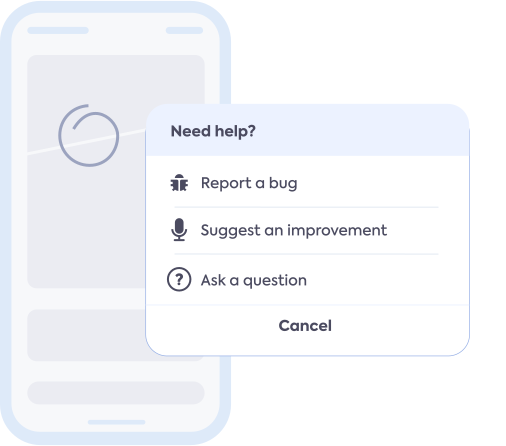
In-app bug reporting: Users can report issues directly within the application, attaching screenshots and screen recordings for better context.
Crash reporting: Automatically captures crash logs and provides detailed reports to aid developers in identifying and resolving issues.
In-app surveys: Allows the creation and deployment of in-app surveys for users to provide feedback on specific features or experiences.
SDK integration: Integrates seamlessly with various platforms and frameworks, ensuring ease of implementation.
Strengths in collecting and managing in-app feedback:
It excels in providing comprehensive bug reporting and crash analysis capabilities, enabling faster issue resolution. It is well-suited for SaaS applications as it offers robust bug reporting features and real-time communication, helping SaaS teams collect feedback and address user concerns promptly.
03. UserVoice
This customer feedback platform enables businesses to gather and manage user insights effectively.
Key in-app feedback features include:
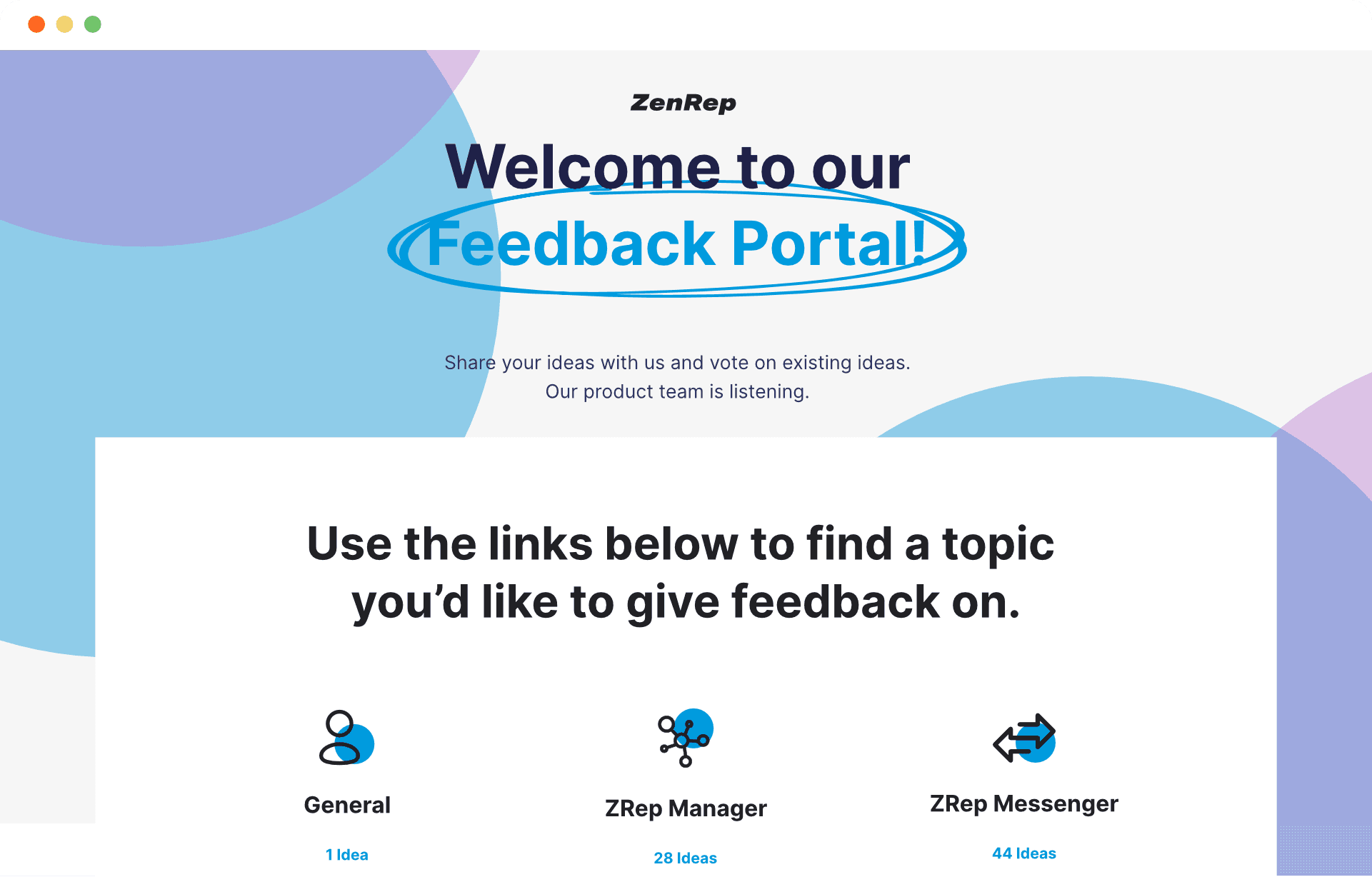
Feedback collection: Users can submit feedback, ideas, and feature requests directly within the application.
Idea prioritization: Allows users to vote on existing ideas, helping product managers prioritize feature development.
Customer support integration: Seamlessly integrates with customer support systems, ensuring efficient management of user inquiries and feedback.
Reporting and analytics: Provides actionable insights through comprehensive analytics and reporting tools.
Strengths in collecting and managing in-app feedback:
It excels in capturing and prioritizing user ideas, facilitating transparent communication between users and product teams. It empowers product managers to gather customer insights, align feature development with user feedback and enhance overall product satisfaction.
04. Volley
This visual feedback, website annotation, and bug reporting tool allows users to collect feedback on any website.
Key in-app feedback features include:
Visual feedback: Users can create comments directly on webpages, providing visual feedback to highlight specific areas of concern or improvement.
Website annotation: Allows users to annotate webpages with notes, shapes, and arrows, enhancing the clarity of feedback.
Bug reporting: Users can easily report bugs and issues they encounter on websites, helping developers identify and resolve them quickly.
Collaboration: Facilitates collaboration by allowing users to involve team members and stakeholders in the feedback process.
Ease of use: Offers a user-friendly interface, making it easy for anyone to provide feedback without technical expertise.
Strengths in collecting and managing in-app feedback:
Visual feedback and website annotation features make it easier for users to provide detailed feedback, improving communication between users and development teams.
Simplifies bug reporting by allowing users to highlight and report issues directly on webpages, reducing the time and effort required to explain problems.
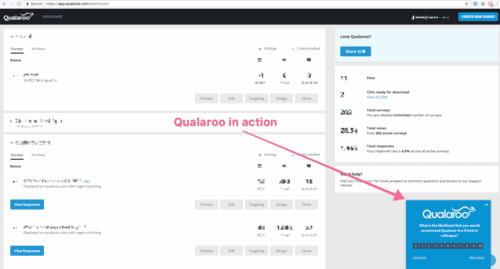
05. Qualaroo
This user research and feedback platform can help businesses gain qualitative insights into user experiences.
Key in-app feedback features include:
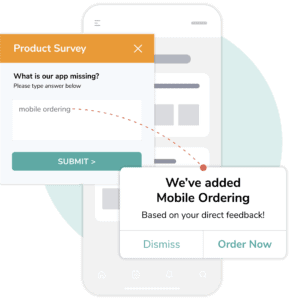
Feedback surveys: Allows the creation and deployment of customizable, contextual surveys to collect user feedback.
Behavior-based targeting: Offers sophisticated targeting options based on user behavior, with feedback prompts to collect specific feedback from users.
Survey analytics: Provides detailed analytics and reporting, allowing product managers to derive actionable insights.
Integration capabilities: Seamlessly integrates with various platforms, enabling easy implementation.
Strengths in collecting and managing in-app feedback:
Specializes in creating personalized and targeted in-app feedback campaigns, providing deep user understanding for product enhancements. The behavioral targeting allows product teams to collect feedback from specific users and make data-driven decisions for SaaS product enhancements.
06. Marker.io
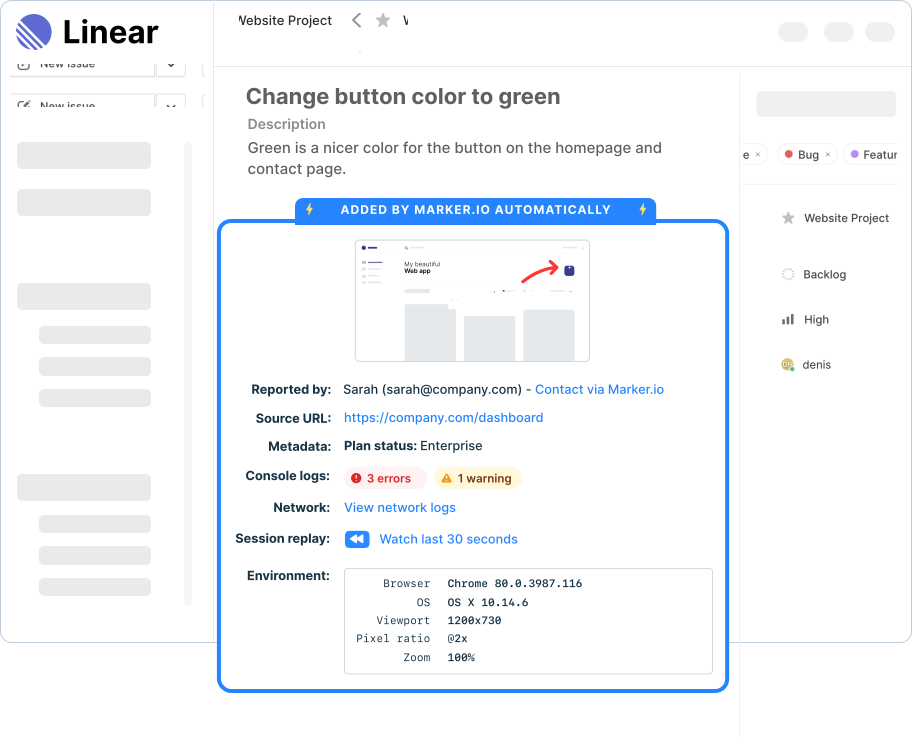
This in-app feedback and bug reporting tool is designed for agile teams. It allows users to capture and report issues directly within the application.
Key in-app feedback features include:
Capturing screenshots: Enables users to capture screenshots of bugs or issues they encounter while using the application.
Annotating images: Users can annotate the captured screenshots with text, shapes, and arrows to provide additional context and clarity.
Issue tracking: Tracks and manages reported issues, providing real-time updates on their status and progress.
Integration with project management tools: Seamlessly integrates with popular project management tools, such as Jira and Trello, to streamline bug reporting and issue tracking workflows.
Collaboration: Teams can collaborate within the tool, discussing and resolving reported issues effectively.
Strengths in collecting and managing in-app feedback:
Streamlines the bug reporting process by allowing users to capture and annotate screenshots, reducing the effort required to explain issues.
Integration with project management tools ensures seamless tracking and management of reported issues, improving overall productivity.
In-app feedback collection has emerged as a best practice and indispensable tool for product managers in the SaaS and web application space. By leveraging dedicated in-app feedback platforms, product teams can unlock valuable insights, improve user experiences, and drive product success.
The availability of leading in-app feedback tools like Userback empowers product managers to choose the best tool that aligns with their specific needs and objectives.
If you want to experience how Userback can help you start collecting in-app feedback and close the customer feedback loop, signup with a free trial today and gather in-app feedback in just minutes.
“Love it, use it every day!”
SaaS and web applications love Userback as their in-app feedback tool! Read more reviews on G2




Power up your feedback loop with The Ultimate Guide to User Feedback for Product Managers
If you are enjoying this article, you might want to read Userback’s Ultimate Guide to User Feedback Management. From collection to closure, this comprehensive guide highlights what you can be doing to streamline your in-app user feedback processes and better understand what your users need, in order to deliver the features they want, faster!