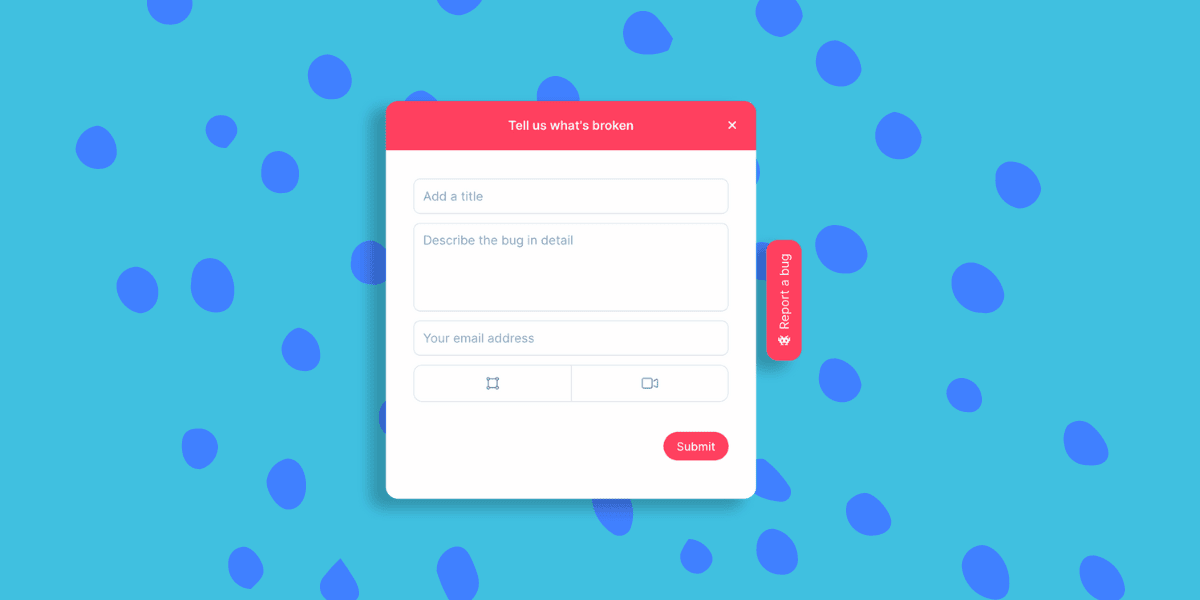

Defect Tracking Tools vs. Bug Tracking Tools
Let’s start with this frequently asked question.
What is a defect tracking tool and how is it different from a bug tracking tool?
The simple answer is… it isn’t. Defect tracking tools, issue tracking tools, and bug tracking tools can all categorize web apps that assist in recording, reporting, and managing defects or bugs in a product or system. These tools are instrumental in organizing the process of bug reporting and resolution, providing a systematic approach to identifying, documenting, and tracking defects in software development.
Benefits of Bug Tracking Tools for PLG
Bug tracking tools play a crucial role in product-led growth (PLG) companies. In a PLG business model, the product itself drives customer acquisition, conversion, and expansion. That’s why ensuring superior performance and quality is vital. With defect tracking tools, these companies can swiftly identify, monitor, and fix any bugs or issues in the product. It’s a game-changer for maintaining customer satisfaction and driving business growth.
This not only enhances the user experience but also improves overall product functionality. More importantly, it builds customer trust and satisfaction, which are vital factors for growth in PLG companies. At Userback, we speak with hundreds of new PLG startups, SaaS developers, and product managers in SaaS and PLG organizations every year and continuously we come back to three key outcomes of effective bug tracking for each.
Time and Cost Savings
Defect tracking tools help streamline the bug detection and resolution process, thus saving time and costs for the company. This is especially crucial in a fast-paced PLG environment where speed and efficiency are critical.
Improved Product Quality
By continuously monitoring and addressing any defects or issues, defect tracking tools contribute to improving the overall quality of the product. This leads to higher customer satisfaction and retention rates.
Enhanced Collaboration
Defect tracking tools facilitate communication and collaboration among team members, leading to faster bug resolution and better cross-functional coordination.
How to Choose the Best Defect Tracking Tools
Choosing the right defect tracking tool necessitates a thorough examination of your business needs, team dynamics, and project requirements. Here are some key steps to guide the selection process.
1. Identify Your Needs in a Bug Tracking Tool
Start by outlining what you need when it comes to bug tracking and defect management. Consider the size of your project, the complexity of your product, your team’s size, and the level of collaboration required. If you’re managing a large project with multiple teams, you may need a more robust tool with advanced defect management features like automated assignments and workflow customization.
2. Evaluate Bug Tracking Key Features
Look for essential features that streamline the defect tracking process. These may include user-friendly interfaces, custom fields, report generating capabilities, integration with other software in your tech stack, mobile accessibility, and real-time updates.
3. Check Compatibility
The tool should be compatible with your existing software ecosystem. This ensures seamless integration and continuity in your workflow.
4. Consider the Pricing
Evaluate your budget and consider the cost-effectiveness of the tool. Some tools offer tiered pricing based on the number of users or the complexity of features.
5. Try Before You Buy
Most bug and issue tracking tools offer trial versions. Use this opportunity to test out the tool and see if it meets your needs and expectations.
6. Ask for Feedback
Reach out to your peers or other companies that have used the tool. Their first-hand experiences can provide valuable insights into the tool’s strengths and weaknesses.
Remember, the goal is to find test management systems that fit your specific needs and enhance your team’s efficiency and productivity. Don’t rush the decision-making process and take the time to evaluate your options thoroughly.
Best Bug Tracking Tools in 2025 for PLG Companies
When it comes to bug tracking in software testing, there are a handful of companies regularly discussed. They offer sound features that match a range of businesses – from SMB PLG to enterprise technology. Here’s a few for your consideration.
Userback
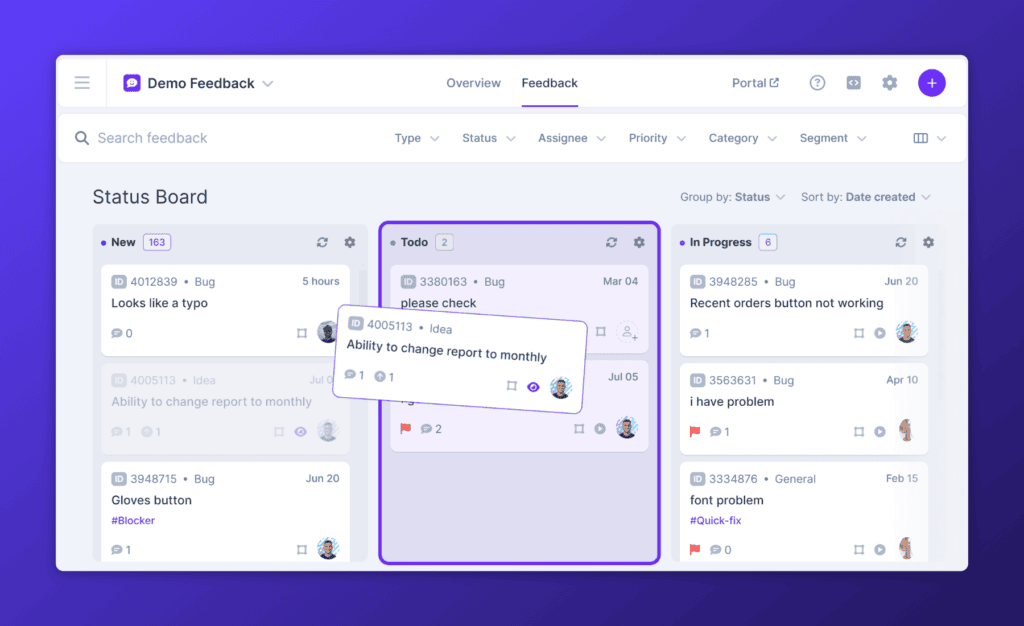
Userback is the first choice for many small to medium-sized businesses (SMBs) due to its intuitive interface, comprehensive functionalities, and affordability. It offers features such as session replay, video feedback, annotation tools, kanban boards, and supports many third-party integrations, making it an excellent option for businesses looking for a cost-effective solution to streamline their QA and bug tracking processes across the entire development lifecycle.
Start now with Userback
Get started with a 14-day free trial.
Jira
A popular choice amongst many larger businesses, Jira offers a wide range of features including bug tracking, agile project management, issue tracking, and workflow visualization tools. It’s scalable, which makes it suitable for complex, multi-functional software development teams.
Bugzilla
Known for its open source nature, Bugzilla is a popular bug tracking software for web developers. It supports a multitude of databases and can handle a large number of bug reports, making it ideal for businesses who are searching for an open source bug tracking solution.
Bugherd
A staple for basic screen annotation and bug reporting. Simple to use, easy to install on websites, and effective for when you need a simple bug tracking system.
MantisBT
This open source bug tracking tool is appreciated for its simplicity, ease of use, and the ability to customize its features according to the needs of the business.
Keep in mind that every tool has its own set of strengths and weaknesses. It’s crucial to select a tool that aligns with your organization’s objectives and requirements. After all, making the right choice will greatly contribute to your success.
Implementing Bug Tracking Tools: Best Practice
Implementing bug tracking tools in software testing involves thoughtful planning and execution to ensure a smooth transition and optimal use of the software. Like any management tool, if it isn’t chosen intelligently AND brought into the business with support, it’s bound to fail and end up as shelfware, costing you time and money. How do you avoid that, here’s seven steps for best practice implementation of your next issue tracking tool.
Set Clear Objectives
Clearly outline your team’s objectives and the role of the issue tracking tool in achieving them. This will help everyone understand its importance and ensure consistent adoption.
Train Your Team
Provide comprehensive training sessions to educate your team on how to use the tool effectively. This ensures that everyone uses the tool in a standardized manner.
Establish Protocols
Set up protocols and guidelines for reporting, assigning, and resolving bugs. This will streamline the process and ensure consistency across all teams.
Encourage Communication
Encourage team members to communicate openly about any issues or concerns they encounter while using the tool. This fosters a collaborative environment where everyone can provide feedback and suggest improvements.
Integrate It
People resist leaving their known workflows, they’re comfortable in Jira, Github, etc. Trying to take them out of that zone, and into a new isolated tool is a recipe for failure. Invite required team members early, and get their insight into integrating bug reports into their way of working.
Review and Analyze Data
Regularly review and analyze the data collected by the issue tracking tool to identify patterns, trends, and areas for improvement. This will help in optimizing your processes and enhancing overall product quality.
Provide Continuous Training
As new features are added or tools are upgraded, make sure to provide continuous training to your team. This will ensure that everyone is up to date and using the tool most efficiently.
By following these best practices, you can ensure the successful implementation and usage of bug tracking tools in your organization. Remember, the key is to continuously evaluate and improve your processes to deliver high-quality products efficiently.
How to Perform Effective Bug and Defect Tracking with Userback
Userback simplifies the bug tracking process with its intuitive and efficient interface. Here’s how you can get started:
1. Sign Up and Set Up Your Project:
- Create a Userback account set up your project.
- Customize your project settings according to your workflow.
2. Collect Feedback and Bug Reports:
- Use the visual feedback tool to collect detailed bug reports with screenshots, annotations, comments and session replays.
3. Integrate with Other Tools:
- Connect Userback with tools like Jira, Trello, or Slack to streamline your workflow.
4. Collaborate in Real-Time:
- Use the real-time collaboration features to discuss and resolve issues quickly.
5. Track Progress and Resolve Issues:
- Monitor the status of reported bugs and ensure timely resolution.
By leveraging Userback, your team can ensure efficient defect tracking and improve the overall quality of your entire software development projects.
Ready to streamline your bug tracking process? Get started with Userback today and experience a more efficient way to manage your software projects!
Start free with Userback today!
Discover why Userback is the #1 defect tracking tool.