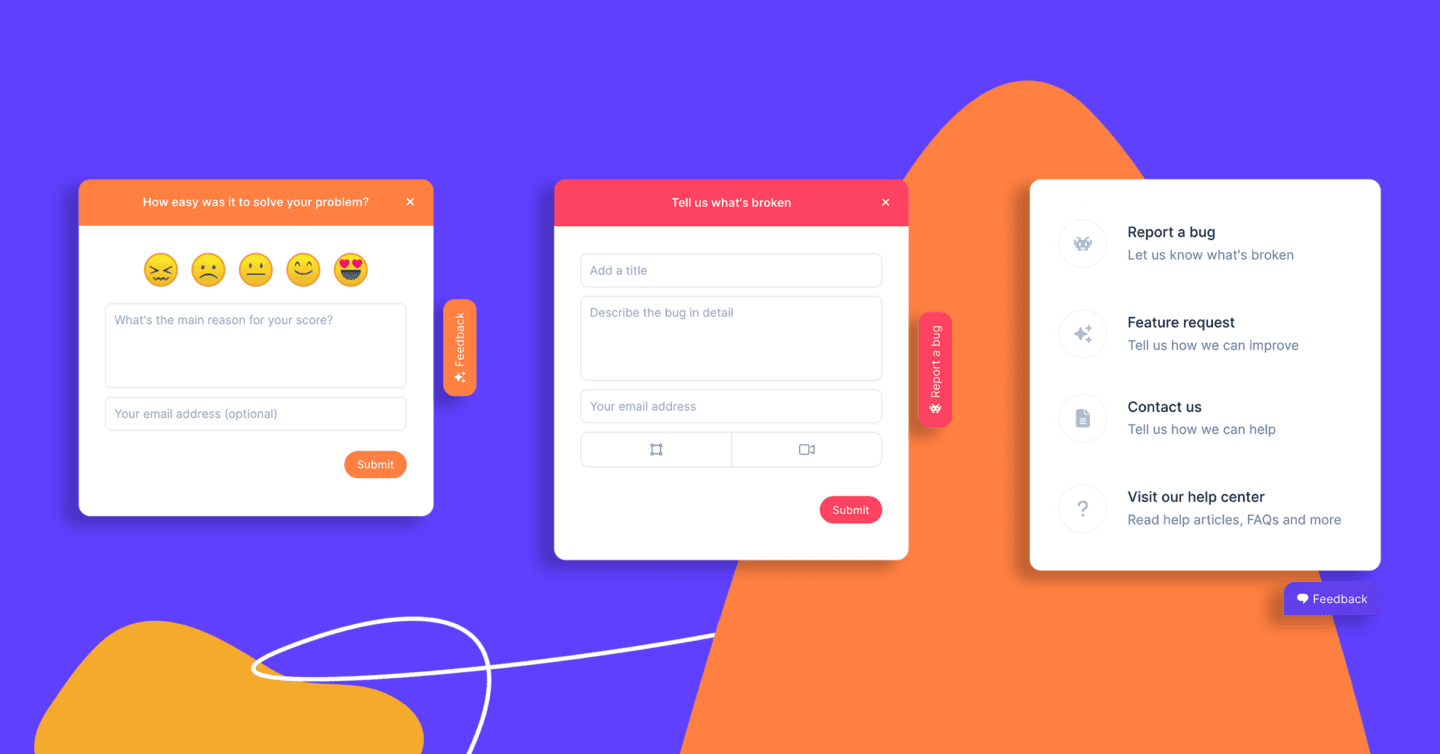

Ever wondered what your website visitors really think? Are they struggling with navigation, frustrated by a bug, or excited about a new feature? A website feedback widget is the key to unlocking these insights in real time.
Whether you’re a product manager, UX designer, or developer, collecting feedback directly from users helps you refine your website, improve user experience, and boost customer satisfaction. In this guide, we’ll explore what website feedback widgets are, why they matter, and how you can use them to drive better decisions for your business.
What Is a Website Feedback Widget?
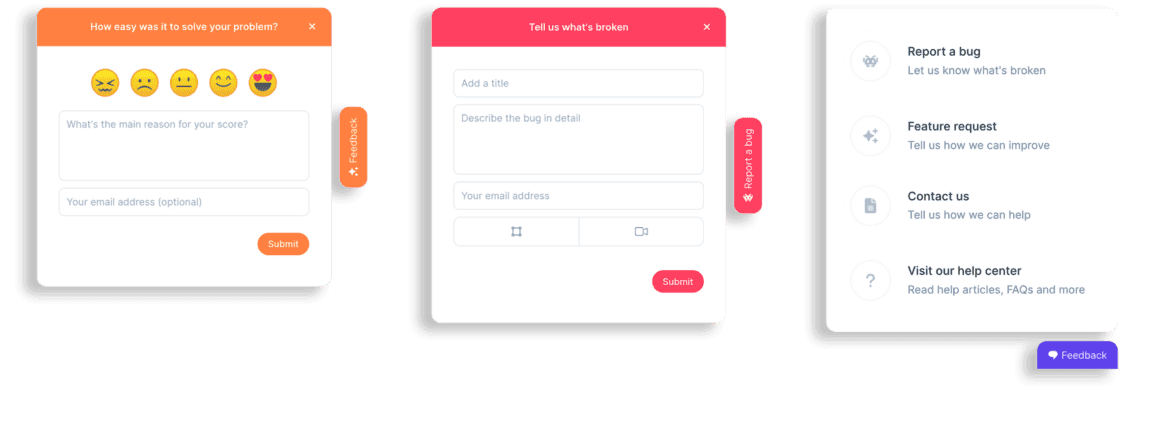
A website feedback widget (also known as a feedback form) is a small, interactive tool embedded on a website that allows users to share their thoughts, report issues, or provide suggestions. These widgets make it easy for users to communicate their experience without needing to send an email or fill out a long survey.
Common Types of Feedback Widgets and Feedback Forms
- Floating feedback button – Always accessible on the side of the page.
- Embedded form – Integrated within a webpage or help center.
- Pop-ups – Triggered based on user behavior, such as exit intent or time on page.
Key Benefits:
- Feedback forms help to capture user feedback in real time.
- Provides contextual feedback with screenshots and other visual tools like video feedback.
- Simple feedback buttons and forms help reduce friction in the feedback collection process.
Why Adding a Feedback Widget To Your Website Matters
Adding a feedback widget to your website can provide valuable insights and improve overall performance in several key areas.
1. Improve User Experience
Users often leave websites due to frustrating experiences. Feedback widgets help identify pain points and areas for improvement before they impact conversions.
2. Streamline Bug Reporting
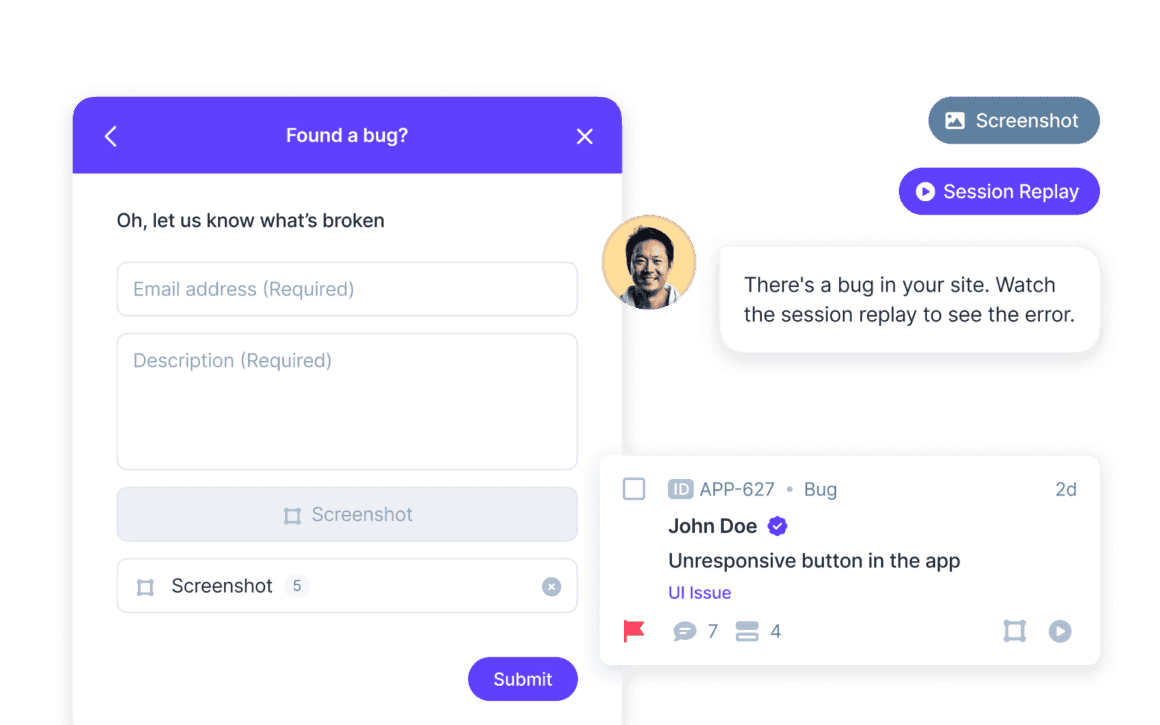
QA teams and developers can collect real-time bug reports with screenshots and session replays, eliminating the guesswork in troubleshooting.
3. Increase Customer Engagement
Giving users an easy way to share feedback makes them feel heard, strengthening brand trust and loyalty.
4. Drive Data-Driven Decisions
User feedback helps prioritize feature development, UI/UX improvements, and overall website enhancements based on real user needs.
5. Collect More Feedback From Your Website Users
Adding a feedback widget to your website provides users with a simple and accessible way to share their thoughts, making it easier to collect valuable insights and feedback directly from your audience.
Key Features of the Best Website Feedback Widgets and Website Feedback Tools
Not all feedback widgets and website feedback tools are created equal. Here are the must-have features that make collecting, managing, and acting on feedback effortless.
1. Customization & Branding
Customization and branding are crucial for ensuring that the feedback widget seamlessly integrates with your website’s design and overall user experience. With the ability to adjust colors, you can match the widget to your brand’s color scheme, maintaining consistency across your site. The placement of the widget can also be customized, allowing you to position it in a way that’s most convenient for users without disrupting the flow of your site. Additionally, the messaging within the widget can be tailored to reflect your brand’s tone and voice, ensuring a cohesive and personalized experience. This level of customization helps create a more professional and on-brand interaction for your users while maintaining a user-friendly interface.
2. Multiple Types of User Feedback
The best website feedback widgets allow for multiple types of user feedback, ensuring a comprehensive understanding of user experiences. They enable users to submit precise feedback through screenshots and video recordings, making it easier to visualize issues. For bug reporting, they collect console logs, helping developers and software teams troubleshoot more effectively. Additionally, open-text comments give users the opportunity to provide feedback with detailed insights, offering a deeper understanding of their concerns and suggestions.
3. Visual Feedback Tools
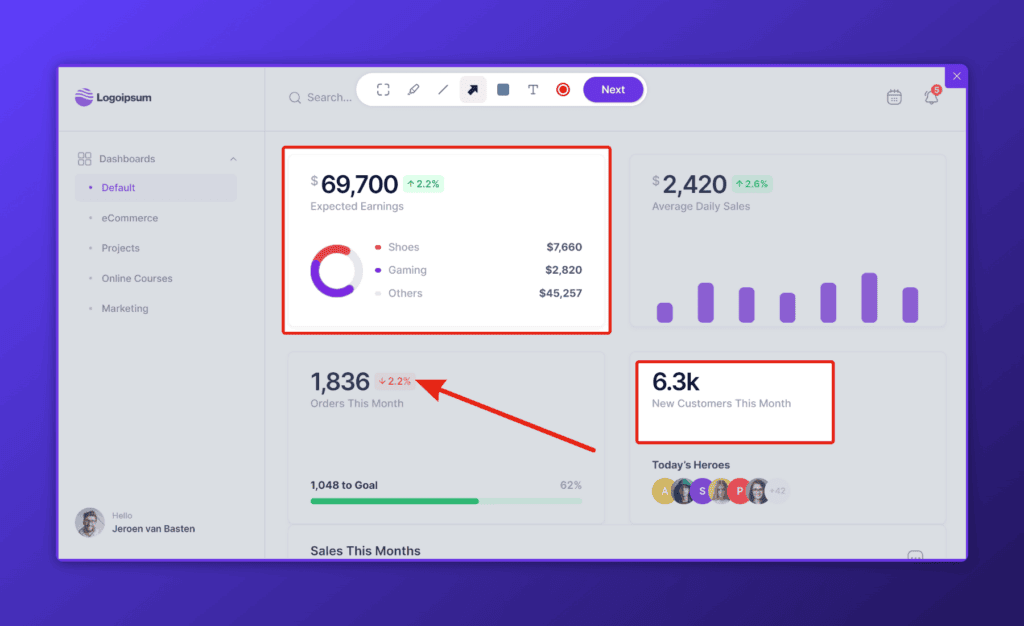
Visual feedback tools play a vital role in capturing precise and actionable insights from users. By allowing users to highlight specific areas of a website or application, these tools make it easier to identify issues and pain points. Whether it’s through annotations, highlighting sections, or drawing directly on screenshots, these features provide visual context to feedback, reducing ambiguity and improving communication between users and development teams. This clarity helps prioritize improvements more effectively, ensuring that the most critical issues are addressed quickly. Visual feedback tools enhance the overall quality of feedback, making it more actionable and useful for enhancing the user experience.
4. Session Replay
Session replay offers a powerful way to understand user interactions in real time, allowing teams to watch exactly how users navigate through your website or app. This feature captures every click, scroll, and action, providing invaluable insights into user behavior. By replaying these sessions, you can pinpoint usability issues, track frustration points, and better understand how users engage with your content, leading to more informed decisions for improving the overall user experience.
5. Seamless Integrations
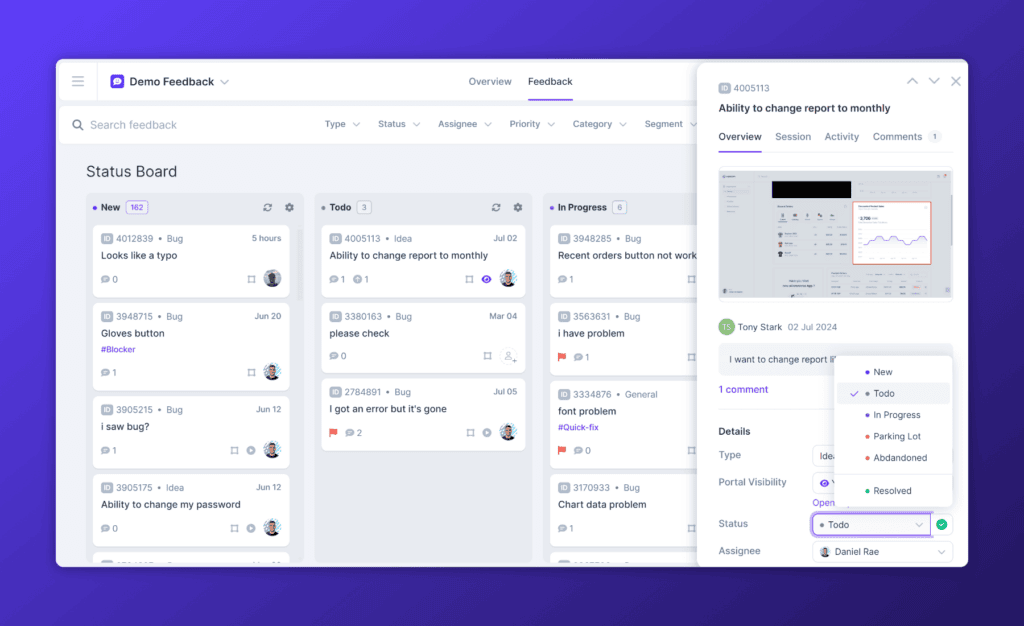
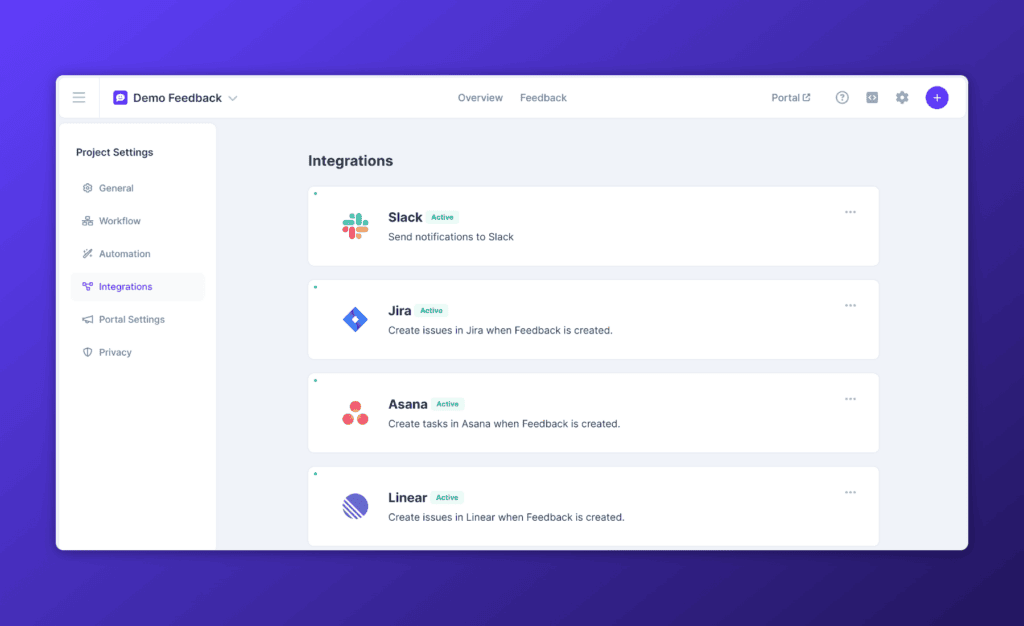
Seamless integrations simplify the process of connecting your feedback widget with the tools you already use. Whether it’s customer support platforms, project management software, or bug tracking systems, seamless integrations ensure that feedback is easily transferred and accessible across different platforms. This streamlines workflows, allowing teams to respond to user input faster and more efficiently without having to manually transfer data, ultimately saving time and improving collaboration.
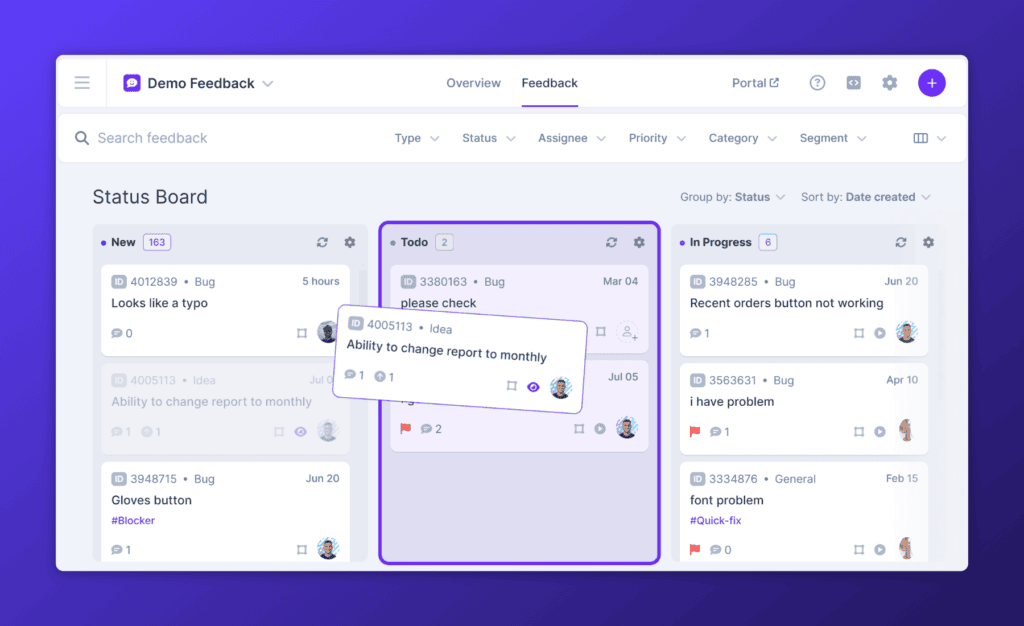
6. Automation & Prioritization
Automation and prioritization features help you manage feedback more efficiently by automatically categorizing and prioritizing it based on urgency or impact. With automated workflows, you can ensure that the most critical feedback is addressed first, while also saving time by reducing the need for manual sorting. This allows your team to focus on the most pressing issues, helping to drive faster resolutions and improve overall product development.
How to Effectively Use a Website Feedback Widget to Start Collecting Feedback
Best Website Feedback Widget Practices:
✅ Optimal Placement – Keep it visible but unobtrusive (e.g., bottom corner of the screen).
✅ Timely Triggers – Display pop-ups after specific interactions (e.g., after checkout or page abandonment).
✅ Encourage Specific Feedback – Use pre-set categories to guide users (e.g., “Report a Bug,” “Feature Request”).
✅ Act on Insights – Regularly review feedback and implement changes to improve user experience.
Top Use Cases for Website Feedback Widgets and Website Feedback Tools
1. Bug Reporting & QA
Website feedback widgets make bug reporting seamless by allowing users to submit annotated screenshots, screen recordings, and console logs directly from the website. This eliminates vague reports and back-and-forth communication, giving developers the exact context they need to replicate and resolve issues faster. By integrating with bug tracking tools, feedback is automatically logged, categorized, and assigned, streamlining the QA process. This is especially valuable for SaaS platforms, e-commerce sites, and teams managing complex web applications.
2. UX & Design Feedback
Understanding how users interact with your website with visual feedback is key to delivering a smooth and intuitive experience. A feedback widget allows users to highlight confusing navigation, unclear CTAs, or frustrating design elements in real time. Instead of guessing why users drop off, teams get direct insights into pain points, helping them optimize layouts, workflows, and micro-interactions. Whether it’s refining a sign-up flow or improving form usability, user feedback ensures design decisions are based on real-world experiences, not assumptions.
3. Feature Requests & Product Improvement
A website feedback widget provides a direct line between users and product teams, allowing customers to suggest new features, improvements, or enhancements based on their actual needs. Instead of relying solely on internal roadmaps, product managers can prioritize feature development efforts based on trends in user feedback. By collecting and analyzing feature requests in a structured way, businesses can make data-driven product decisions that increase customer satisfaction and retention while ensuring development efforts align with real demand.
4. Customer Support & Satisfaction
Users often hesitate to contact support for minor issues, leading to frustration and churn. A feedback widget provides a low-effort way for customers to report bugs, account issues, or general frustrations without leaving the page. This reduces the strain on support teams while ensuring that common problems are documented and resolved quickly. Additionally, by proactively addressing user concerns, businesses enhance the customer experience, boost satisfaction, and strengthen relationships, ultimately reducing churn and improving loyalty.
5. A/B Testing & Website Optimization
A/B testing is essential for optimizing website copy, design elements, and functionality, but numbers alone don’t tell the whole story. A feedback widget helps teams collect qualitative insights from real users about why a certain variation works better. Whether it’s testing CTA placements, page layouts, or checkout flows, user comments provide context behind engagement metrics. This allows marketing and product teams to refine website elements based on direct user input, ensuring higher conversion rates and better overall performance.
Choosing the Right Feedback Widget for Your Website
When selecting a feedback widget, consider:
- Ease of Use – Is it simple to install and customize?
- Feedback Types – Does it support visual feedback, surveys, and bug reporting?
- Integration Capabilities – Can it sync with your existing workflow tools?
- Analytics & Insights – Does it provide data to help you make informed decisions?
Looking for the best website feedback widget?
Userback is an all-in-one feedback solution with visual annotations, session replay, surveys, and automation, making it the ideal website feedback tool.
How to Create a Feedback Widget and Collect Customer Feedback on Your Website
Creating a feedback widget is easier than you think! Start by choosing a tool like Userback that offers easy installation and customization. Once set up, you can embed the widget on your site, allowing users to submit feedback effortlessly.
Customize the widget’s design to match your brand and configure it to collect screenshots, videos, or text responses. Encourage users to share feedback by placing the widget in a visible location and using timely prompts.
Finally, integrate your widget with tools like Jira, ClickUp, or Slack to ensure feedback is actionable and part of your existing workflow.
Final thoughts
A website feedback widget is more than just a simple tool—it’s a direct line to your users and an invaluable source of insights.
By implementing the right feedback widget and following best practices, you can continuously refine your website, enhance user experience, and build products that truly meet customer needs.
Ready to create a feedback widget?
Try Userback for free and start collecting visual feedback from your website.